Yep, we may get a tiny thank-you (read: commission) when you buy through
links on Gadgetspotr — not enough for a yacht, but enough to keep the lights (and
servers) on.
Learn more
34
Highlights
63
Differences
5
Reactions
0
Likes
Abode Security Kit
vs
Vivint Smart Hub:
34 Highlights & 63 Differences —
So, Which Security System Actually Works Better
Choose Abode for budget-friendly self-monitoring or Vivint for a high-end, fully monitored security experience.
We ran the full gadget test: Abode Security Kit vs Vivint Smart Hub — from product type, two-way audio, audio codec & siren to design smarts, here’s how they compare.
Abode Security Kit vs Vivint Smart Hub: Striking the Balance Between Affordability and Advanced Features
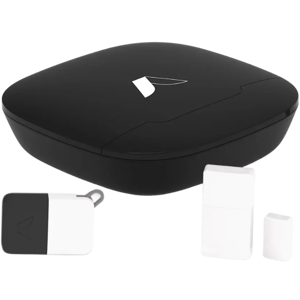
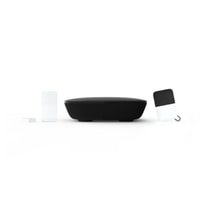
When considering a smart home security system, two leading options stand out: the Abode Security Kit and the Vivint Smart Hub. Both systems serve as comprehensive control hubs for protecting your home environment, supporting diverse mounting locations, including walls and free-standing setups. They share fundamental security elements such as zoning, sensor-based triggers, and silent alarm modes to deter intrusions.
However, their approaches differ significantly. Abode emphasizes a subscription-free, self-monitored platform with modern encryption and cellular backup. At the same time, Vivint offers a professionally monitored system with more advanced hardware options and two-way communication, but requires costly subscription fees. Each system integrates with popular voice assistants and has cloud storage for event data. This comparative review weighs their features, design, and user experience to help you make an informed choice.
Abode Security Kit: A Smart, Flexible, and Cost-Effective Shield for Your Home
The Abode Security Kit shines for users who prioritize affordability without sacrificing essential smart home security functions. Released in 2023, it embodies the latest technology with robust edge processing that supports local decision-making and end-to-end encryption, ensuring your data remains private and secure within the United States. One of its most compelling offerings is its cellular backup, guaranteeing security coverage even when Wi-Fi falters. With a sizable 160 security zones, it provides meticulous sensing and zoning control that users can expand as their needs grow. Its pet immunity and verified motion detection reduce false alarms efficiently, offering peace of mind for pet owners.
Abode impresses with its easy installation process designed for DIY enthusiasts, backed by a lightweight plastic housing material and compact form factor that fits discreetly in any room. It supports commonly used voice assistants, including Alexa, Google Assistant, and Siri, alongside IFTTT integration for broader smart home connectivity. Additionally, Abode users benefit from the ability to configure notifications extensively, schedule alerts, and manage multiple user profiles. Unlike more expensive competitors, it avoids mandatory subscriptions, saving homeowners considerable money over time. The kit's medium backup battery runtime ensures it remains operational during outages, although not as long-lasting as some premium options. Its cloud storage keeps video and alert data for 8-30 days and uniquely supports data export, giving users more control over their information.
Vivint Smart Hub: Premium Hardware and Professional Monitoring for Elevated Security Needs
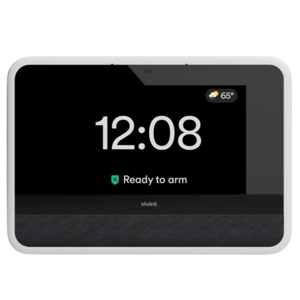
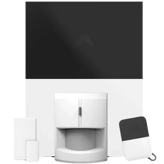
Vivint Smart Hub caters to households seeking an all-in-one monitored security experience with cutting-edge hardware. Launched in 2018, it boasts key features like an integrated 720p HD camera, which, despite lacking night vision, offers basic surveillance capabilities and ties directly into the hub. Notably, Vivint incorporates an environmental sensor to monitor conditions such as smoke or CO, enhancing safety beyond intrusion detection.
Its superior 40-foot motion detection range provides extended coverage compared to Abode, and the system's two-way audio capability adds an interactive dimension for direct communication during alarm events. The Smart Hub also operates on dual-band Wi-Fi (2.4GHz and 5GHz), potentially increasing connection stability and speed within your home network.
For those who prefer convenience, Vivint offers professional installation, ensuring optimal device placement and system calibration. Its built-in cable management provides a tidier setup, a factor some users highly value. The robust battery supports a long backup runtime, enhancing reliability during power interruptions.
However, these premium features come at a steep cost: an initial price tag of nearly $600 and mandatory subscription fees for professional monitoring and advanced functionalities. Additionally, although Vivint's system stores data in the cloud with encryption, it lacks end-to-end encryption and does not allow exporting your data, which might concern privacy-minded users. Customer support is comprehensive via phone, email, and chat, aligning with the system's premium service approach.
Quick Take
The Abode Security Kit offers unbeatable value with no subscription costs, strong privacy protections, and cellular backup, ideal for hands-on users wanting flexible smart home integration and self-monitoring. Meanwhile, the Vivint Smart Hub impresses with built-in environmental sensors, two-way audio communication, and professional installation options designed for users who are comfortable with higher upfront and ongoing costs for added convenience and premium support.
Bottom Line
For budget-conscious homeowners who want a reliable self-monitored system packed with modern security features, the Abode Security Kit is clearly the better choice, balancing affordability, privacy, and cellular resilience. Vivint Smart Hub, on the other hand, suits those who value professional monitoring, advanced hardware integrations, and seamless installation, even at a premium price with subscription fees.
Verdict
Winner: Abode Security Kit - Offers superior privacy, flexible self-monitoring with cellular backup, and a budget-friendly subscription-free model.
Runner-up: Vivint Smart Hub - Delivers advanced hardware features and professionally monitored services for users who prioritize convenience and premium support.
Side by side. The numbers. The features. No drama.
Is Abode Security Kit better than Vivint Smart Hub? It depends on your needs. Our gadget breakdown lays out the full story — from specs to buyer feedback.
The Security System Type differs with Abode Security Kit being Self-Monitored and Vivint Smart Hub Monitored. Abode provides more user control without monthly fees, while Vivint offers professional monitoring. For flexible control, Abode is more suitable.
Indicates whether monitoring is professional, self-managed, or both.
In the battle of Security System Type,
Abode Security Kit ◉ is
same as
Vivint Smart Hub ◉
.
Don’t keep it to yourself — be the first to react and review the
Security System Type on Abode Security Kit ◉
vs Vivint Smart Hub ◉ and help others decide!
Mounting Locations for Abode Security Kit include Wall, Door, Window, and Free-Standing, offering versatile installation. Vivint Smart Hub supports only Wall and Free-Standing, limiting placement options. Abode is more suitable for flexible mounting.
Describes common mounting positions for system components.
In the battle of Mounting Location,
Abode Security Kit ◉ is
same as
Vivint Smart Hub ◉
.
Don’t keep it to yourself — be the first to react and review the
Mounting Location on Abode Security Kit ◉
vs Vivint Smart Hub ◉ and help others decide!
Environment Suitability
Where can the system be used?
0
Abode Security Kit
0Votes
Indoor
0
Vivint Smart Hub
0Votes
Indoor
Vivint Smart Hub
This model is designed for Indoor use, making it suitable for home security applications.
Specifies where the system components are designed to operate.
In the battle of Environment Suitability,
Abode Security Kit ◉ is
same as
Vivint Smart Hub ◉
.
Don’t keep it to yourself — be the first to react and review the
Environment Suitability on Abode Security Kit ◉
vs Vivint Smart Hub ◉ and help others decide!
App Required
Is an app required?
Yes
0Votes
Abode Security Kit
Yes
0Votes
Vivint Smart Hub
Abode Security Kit
An app is required to operate this system, offering user-friendly control through smartphones.
Indicates whether a mobile app is required for operation.
In the battle of App Required,
Abode Security Kit ◉ is
same as
Vivint Smart Hub ◉
.
Don’t keep it to yourself — be the first to react and review the
App Required on Abode Security Kit ◉
vs Vivint Smart Hub ◉ and help others decide!
Subscription Required
Is a subscription required?
No
1Votes
Abode Security Kit
Yes
0Votes
Vivint Smart Hub
vs
Subscription Required
Subscription Required is No for Abode Security Kit but Yes for Vivint Smart Hub, meaning Abode has no recurring fees, which is better for budget-conscious users seeking no subscriptions.
Shows whether ongoing subscription is mandatory for full features.
In the battle of Subscription Required,
Abode Security Kit ◉ is
better than
Vivint Smart Hub ◉
.
Based on community votes for Subscription Required,
Abode Security Kit ◉ earned
1 votes,
more than
Vivint Smart Hub ◉,
which got 0 votes.
I like that Abode Security Kit does not require a subscription which keeps things simple and cheap compared to Vivint which needs one.
See more
Intended Use Case
What is the intended use case?
0
Abode Security Kit
0Votes
Home Security, Apartment
0
Vivint Smart Hub
0Votes
Home Security
Describes the primary scenario the system is designed for.
In the battle of Intended Use Case,
Abode Security Kit ◉ is
same as
Vivint Smart Hub ◉
.
Don’t keep it to yourself — be the first to react and review the
Intended Use Case on Abode Security Kit ◉
vs Vivint Smart Hub ◉ and help others decide!
Target User
Who is this system for?
0
Abode Security Kit
0Votes
Homeowners, Renters
0
Vivint Smart Hub
0Votes
Homeowners, Small Businesses
Identifies the typical user profile the system is built for.
In the battle of Target User,
Abode Security Kit ◉ is
same as
Vivint Smart Hub ◉
.
Don’t keep it to yourself — be the first to react and review the
Target User on Abode Security Kit ◉
vs Vivint Smart Hub ◉ and help others decide!
Installation Type
How is the system installed?
0
Abode Security Kit
0Votes
DIY
0
Vivint Smart Hub
0Votes
Professional
Indicates how the system is intended to be installed.
In the battle of Installation Type,
Abode Security Kit ◉ is
same as
Vivint Smart Hub ◉
.
Don’t keep it to yourself — be the first to react and review the
Installation Type on Abode Security Kit ◉
vs Vivint Smart Hub ◉ and help others decide!
Release Year
What year was it released?
0
Abode Security Kit
0Votes
2023
0
Vivint Smart Hub
0Votes
2018
vs
Release Year
Abode Security Kit is more recent with a 2023 release year versus Vivint Smart Hub's 2018. The newer Abode model may include latest features and improvements, making it a better choice for those wanting updated tech.
Indicates the year the system model was released.
In the battle of Release Year,
Abode Security Kit ◉ is
same as
Vivint Smart Hub ◉
.
Don’t keep it to yourself — be the first to react and review the
Release Year on Abode Security Kit ◉
vs Vivint Smart Hub ◉ and help others decide!
In the battle of Operating System Compatibility,
Abode Security Kit ◉ is
same as
Vivint Smart Hub ◉
.
Don’t keep it to yourself — be the first to react and review the
Operating System Compatibility on Abode Security Kit ◉
vs Vivint Smart Hub ◉ and help others decide!
Both Abode Security Kit and Vivint Smart Hub support Expandability, allowing users to add devices and customize security coverage. Both are suitable for users planning to scale their systems.
Shows whether additional devices can be added later.
In the battle of Expandability,
Abode Security Kit ◉ is
same as
Vivint Smart Hub ◉
.
Don’t keep it to yourself — be the first to react and review the
Expandability on Abode Security Kit ◉
vs Vivint Smart Hub ◉ and help others decide!
Zoning is supported by both Abode Security Kit and Vivint Smart Hub, allowing segmented security areas for customized monitoring, making both suitable for tailored setups.
Indicates whether areas can be divided into zones.
In the battle of Zoning,
Abode Security Kit ◉ is
same as
Vivint Smart Hub ◉
.
Don’t keep it to yourself — be the first to react and review the
Zoning on Abode Security Kit ◉
vs Vivint Smart Hub ◉ and help others decide!
Both Abode Security Kit and Vivint Smart Hub have a Control Hub, centralizing management of security components. Either option suits users desiring integrated control.
Indicates whether a central control hub is part of the system.
In the battle of Control Hub,
Abode Security Kit ◉ is
same as
Vivint Smart Hub ◉
.
Don’t keep it to yourself — be the first to react and review the
Control Hub on Abode Security Kit ◉
vs Vivint Smart Hub ◉ and help others decide!
Who knows?
0Votes
Vivint Smart Hub
(Help us out by suggesting one!)
vs
Zone Count
The Zone Count for Abode Security Kit is 160 zones, while Vivint Smart Hub's is unavailable. Abode supports extensive zone management, making it preferable for environments requiring many monitored areas.
The number of independent zones supported.
Don’t keep it to yourself — be the first to react and review the
Zone Count on Abode Security Kit ◉
vs Vivint Smart Hub ◉ and help others decide!
Abode Security Kit includes Edge Processing, enhancing local decision-making and speed. Vivint Smart Hub lacks this feature. Edge processing makes Abode more suitable for quicker responses and privacy.
Indicates whether processing happens locally on devices.
In the battle of Edge Processing,
Abode Security Kit ◉ is
better than
Vivint Smart Hub ◉
.
Don’t keep it to yourself — be the first to react and review the
Edge Processing on Abode Security Kit ◉
vs Vivint Smart Hub ◉ and help others decide!
Maximum Supported Devices
How many devices are supported?
160
0Votes
232
0Votes
Abode Security Kit
The maximum supported devices for network connection is 160, accommodating extensive system configurations.
The maximum number of devices the system can support.
In the battle of Maximum Supported Devices,
Abode Security Kit ◉ is
worse than
Vivint Smart Hub ◉
, delivering
lower
72.0
measurement.
Don’t keep it to yourself — be the first to react and review the
Maximum Supported Devices on Abode Security Kit ◉
vs Vivint Smart Hub ◉ and help others decide!
Coverage Area
What area can it cover?
5,000
ft
0Votes
Who knows?
0Votes
Vivint Smart Hub
(Help us out by suggesting one!)
Abode Security Kit
The coverage area is expansive at 5000 ft, making it suitable for larger properties.
The total area the system can effectively monitor.
Don’t keep it to yourself — be the first to react and review the
Coverage Area on Abode Security Kit ◉
vs Vivint Smart Hub ◉ and help others decide!
Redundancy Design
Is redundancy built into the system?
Yes
0Votes
Abode Security Kit
Yes
0Votes
Vivint Smart Hub
Abode Security Kit
Redundancy design is included to enhance reliability and reduce potential system failures.
Indicates built-in redundancy to prevent single-point failure.
In the battle of Redundancy Design,
Abode Security Kit ◉ is
same as
Vivint Smart Hub ◉
.
Don’t keep it to yourself — be the first to react and review the
Redundancy Design on Abode Security Kit ◉
vs Vivint Smart Hub ◉ and help others decide!
Failover Capability
Does it support failover?
Yes
0Votes
Abode Security Kit
Yes
0Votes
Vivint Smart Hub
Abode Security Kit
Failover capability is available, ensuring continuous operation during system interruptions.
Describes automatic switching during system disruptions.
In the battle of Failover Capability,
Abode Security Kit ◉ is
same as
Vivint Smart Hub ◉
.
Don’t keep it to yourself — be the first to react and review the
Failover Capability on Abode Security Kit ◉
vs Vivint Smart Hub ◉ and help others decide!
System Topology
What is the system topology?
0
Abode Security Kit
0Votes
Centralized
0
Vivint Smart Hub
0Votes
Centralized
Describes how system components are organized and managed.
In the battle of System Topology,
Abode Security Kit ◉ is
same as
Vivint Smart Hub ◉
.
Don’t keep it to yourself — be the first to react and review the
System Topology on Abode Security Kit ◉
vs Vivint Smart Hub ◉ and help others decide!
Multi-Property
Can it manage multiple properties?
Yes
0Votes
Abode Security Kit
No
0Votes
Vivint Smart Hub
Shows whether multiple locations can be managed together.
In the battle of Multi-Property,
Abode Security Kit ◉ is
better than
Vivint Smart Hub ◉
.
Don’t keep it to yourself — be the first to react and review the
Multi-Property on Abode Security Kit ◉
vs Vivint Smart Hub ◉ and help others decide!
Backup Communication Path
Is there a backup communication path?
Yes
0Votes
Abode Security Kit
Yes
0Votes
Vivint Smart Hub
Indicates presence of secondary communication in case of failure.
In the battle of Backup Communication Path,
Abode Security Kit ◉ is
same as
Vivint Smart Hub ◉
.
Don’t keep it to yourself — be the first to react and review the
Backup Communication Path on Abode Security Kit ◉
vs Vivint Smart Hub ◉ and help others decide!
Mesh Networking
Does it support mesh networking?
Yes
0Votes
Abode Security Kit
No
0Votes
Vivint Smart Hub
Shows whether devices can relay signals through each other.
In the battle of Mesh Networking,
Abode Security Kit ◉ is
better than
Vivint Smart Hub ◉
.
Don’t keep it to yourself — be the first to react and review the
Mesh Networking on Abode Security Kit ◉
vs Vivint Smart Hub ◉ and help others decide!
System Scalability Level
How scalable is the system?
0
Abode Security Kit
0Votes
High
0
Vivint Smart Hub
0Votes
High
Qualitative measure of how well the system scales.
In the battle of System Scalability Level,
Abode Security Kit ◉ is
same as
Vivint Smart Hub ◉
.
Don’t keep it to yourself — be the first to react and review the
System Scalability Level on Abode Security Kit ◉
vs Vivint Smart Hub ◉ and help others decide!
0
Abode Security Kit
0Votes
Pet Immunity, Motion Verification
0
Vivint Smart Hub
0Votes
Pet Immunity, Motion Verification
vs
False Alarm Reduction Technology
Both Abode Security Kit and Vivint Smart Hub feature False Alarm Reduction Technologies such as Pet Immunity and Motion Verification, reducing unwanted alerts. Both are well-suited for homes with pets.
Describes technologies used to minimize incorrect or nuisance alerts.
In the battle of False Alarm Reduction Technology,
Abode Security Kit ◉ is
same as
Vivint Smart Hub ◉
.
Don’t keep it to yourself — be the first to react and review the
False Alarm Reduction Technology on Abode Security Kit ◉
vs Vivint Smart Hub ◉ and help others decide!
Motion Detection Range is 30 ft for Abode Security Kit and 40 ft for Vivint Smart Hub, with Vivint offering 33% farther range. Vivint is better for covering larger areas.
The maximum distance at which motion can be detected.
In the battle of Motion Detection Range,
Abode Security Kit ◉ is
worse than
Vivint Smart Hub ◉
, delivering
lower
10.0 ft
measurement.
Based on community votes for Motion Detection Range,
Abode Security Kit ◉ earned
0 votes,
less than
Vivint Smart Hub ◉,
which got 1 votes.
Both systems use a Standard Motion Detection Angle between 90° and 120°, providing wide detection coverage. Users can expect similar angle performance from both systems.
Describes the horizontal coverage angle of the motion sensor for detecting movement.
In the battle of Motion Detection Angle,
Abode Security Kit ◉ is
same as
Vivint Smart Hub ◉
.
Don’t keep it to yourself — be the first to react and review the
Motion Detection Angle on Abode Security Kit ◉
vs Vivint Smart Hub ◉ and help others decide!
Environmental Sensors are absent in Abode Security Kit but included in Vivint Smart Hub. Vivint better serves users needing environmental monitoring like smoke or CO detection.
Indicates support for non-intrusion environmental sensing.
In the battle of Environmental Sensor,
Abode Security Kit ◉ is
worse than
Vivint Smart Hub ◉
.
Don’t keep it to yourself — be the first to react and review the
Environmental Sensor on Abode Security Kit ◉
vs Vivint Smart Hub ◉ and help others decide!
Who knows?
0Votes
Abode Security Kit
(Help us out by suggesting one!)
Who knows?
0Votes
Vivint Smart Hub
(Help us out by suggesting one!)
Frequency at which sensors collect detection data.
Don’t keep it to yourself — be the first to react and review the
Sensor Sampling Rate on Abode Security Kit ◉
vs Vivint Smart Hub ◉ and help others decide!
The Adjustable Multi-Level sensor sensitivity option allows users to choose the precise level needed based on their environment, enhancing performance.
Indicates how sensitive the sensor is to motion or environmental changes.
In the battle of Sensor Sensitivity Levels,
Abode Security Kit ◉ is
same as
Vivint Smart Hub ◉
.
Don’t keep it to yourself — be the first to react and review the
Sensor Sensitivity Levels on Abode Security Kit ◉
vs Vivint Smart Hub ◉ and help others decide!
Motion Sensor Type
What type of motion sensor is used?
0
Abode Security Kit
0Votes
PIR
0
Vivint Smart Hub
0Votes
PIR
Identifies the technology used for motion detection.
In the battle of Motion Sensor Type,
Abode Security Kit ◉ is
same as
Vivint Smart Hub ◉
.
Don’t keep it to yourself — be the first to react and review the
Motion Sensor Type on Abode Security Kit ◉
vs Vivint Smart Hub ◉ and help others decide!
Pet Immunity
Does it support pet immunity?
Yes
0Votes
Abode Security Kit
No
0Votes
Vivint Smart Hub
Indicates whether pets are ignored during motion detection.
In the battle of Pet Immunity,
Abode Security Kit ◉ is
better than
Vivint Smart Hub ◉
.
Don’t keep it to yourself — be the first to react and review the
Pet Immunity on Abode Security Kit ◉
vs Vivint Smart Hub ◉ and help others decide!
Glass Break Detection
Does it detect glass breakage?
No
0Votes
Abode Security Kit
Yes
0Votes
Vivint Smart Hub
Detects the sound or vibration of breaking glass.
In the battle of Glass Break Detection,
Abode Security Kit ◉ is
worse than
Vivint Smart Hub ◉
.
Don’t keep it to yourself — be the first to react and review the
Glass Break Detection on Abode Security Kit ◉
vs Vivint Smart Hub ◉ and help others decide!
Door and Window Sensor Type
What type of door and window sensor is used?
0
Abode Security Kit
0Votes
Magnetic Contact
0
Vivint Smart Hub
0Votes
Magnetic Contact
Describes the sensor technology used to detect opening or movement of doors and windows.
In the battle of Door and Window Sensor Type,
Abode Security Kit ◉ is
same as
Vivint Smart Hub ◉
.
Don’t keep it to yourself — be the first to react and review the
Door and Window Sensor Type on Abode Security Kit ◉
vs Vivint Smart Hub ◉ and help others decide!
Tamper Detection
Is tamper detection supported?
Yes
0Votes
Abode Security Kit
Yes
0Votes
Vivint Smart Hub
Alerts when a sensor is moved or interfered with.
In the battle of Tamper Detection,
Abode Security Kit ◉ is
same as
Vivint Smart Hub ◉
.
Don’t keep it to yourself — be the first to react and review the
Tamper Detection on Abode Security Kit ◉
vs Vivint Smart Hub ◉ and help others decide!
Shock and Vibration Detection
Does the system detect shock or vibration?
No
0Votes
Abode Security Kit
No
0Votes
Vivint Smart Hub
Indicates whether the system can detect physical impact, shock, or vibration events on protected surfaces.
In the battle of Shock and Vibration Detection,
Abode Security Kit ◉ is
same as
Vivint Smart Hub ◉
.
Don’t keep it to yourself — be the first to react and review the
Shock and Vibration Detection on Abode Security Kit ◉
vs Vivint Smart Hub ◉ and help others decide!
Smoke Detection
Does it support smoke detection?
No
0Votes
Abode Security Kit
Yes
0Votes
Vivint Smart Hub
Shows whether smoke detection sensors are supported.
In the battle of Smoke Detection,
Abode Security Kit ◉ is
worse than
Vivint Smart Hub ◉
.
Don’t keep it to yourself — be the first to react and review the
Smoke Detection on Abode Security Kit ◉
vs Vivint Smart Hub ◉ and help others decide!
CO Detection
Does it detect carbon monoxide?
No
0Votes
Abode Security Kit
Yes
0Votes
Vivint Smart Hub
Indicates carbon monoxide detection capability.
In the battle of CO Detection,
Abode Security Kit ◉ is
worse than
Vivint Smart Hub ◉
.
Don’t keep it to yourself — be the first to react and review the
CO Detection on Abode Security Kit ◉
vs Vivint Smart Hub ◉ and help others decide!
Flood and Leak Detection
Does the system support flood and leak detection?
No
0Votes
Abode Security Kit
No
0Votes
Vivint Smart Hub
Indicates whether the system can detect water leaks or flooding events to prevent property damage.
In the battle of Flood and Leak Detection,
Abode Security Kit ◉ is
same as
Vivint Smart Hub ◉
.
Don’t keep it to yourself — be the first to react and review the
Flood and Leak Detection on Abode Security Kit ◉
vs Vivint Smart Hub ◉ and help others decide!
Sensor Calibration
Can sensors be calibrated?
Yes
0Votes
Abode Security Kit
Yes
0Votes
Vivint Smart Hub
Indicates whether sensors can be calibrated for accuracy.
In the battle of Sensor Calibration,
Abode Security Kit ◉ is
same as
Vivint Smart Hub ◉
.
Don’t keep it to yourself — be the first to react and review the
Sensor Calibration on Abode Security Kit ◉
vs Vivint Smart Hub ◉ and help others decide!
Both Abode Security Kit and Vivint Smart Hub use AES-256 Video Encryption, providing strong security. Both are suitable for secure video data protection.
Defines how video data is protected during transmission and storage.
In the battle of Video Encryption Method,
Abode Security Kit ◉ is
same as
Vivint Smart Hub ◉
.
Don’t keep it to yourself — be the first to react and review the
Video Encryption Method on Abode Security Kit ◉
vs Vivint Smart Hub ◉ and help others decide!
Who knows?
0Votes
Abode Security Kit
(Help us out by suggesting one!)
0
Vivint Smart Hub
0Votes
HD (720p)
vs
Camera Resolution
Abode Security Kit does not support Camera Resolution, whereas Vivint Smart Hub offers HD (720p) video. For users wanting integrated cameras, Vivint is more suitable.
Indicates the level of detail captured in video recordings.
Don’t keep it to yourself — be the first to react and review the
Camera Resolution on Abode Security Kit ◉
vs Vivint Smart Hub ◉ and help others decide!
Night Vision is not available on either Abode Security Kit or Vivint Smart Hub, limiting low-light video monitoring. Users needing night vision should consider alternative options.
Indicates whether the camera can record in low-light conditions.
Don’t keep it to yourself — be the first to react and review the
Night Vision on Abode Security Kit ◉
vs Vivint Smart Hub ◉ and help others decide!
Who knows?
0Votes
Abode Security Kit
(Help us out by suggesting one!)
Who knows?
0Votes
Vivint Smart Hub
(Help us out by suggesting one!)
Defines how far the camera can see in low-light conditions.
Don’t keep it to yourself — be the first to react and review the
Night Vision Range on Abode Security Kit ◉
vs Vivint Smart Hub ◉ and help others decide!
Snapshot Capture is unsupported by Abode Security Kit and Vivint Smart Hub, limiting instant image capture features. Both are equal in this aspect.
Enables capturing still images from video feeds.
Don’t keep it to yourself — be the first to react and review the
Snapshot Capture on Abode Security Kit ◉
vs Vivint Smart Hub ◉ and help others decide!
Camera
Is a camera included?
No
0Votes
Abode Security Kit
Yes
0Votes
Vivint Smart Hub
Abode Security Kit
This unit does not include CO detection functionality, which might be a crucial feature for some users.
Indicates whether at least one camera is included in the system package.
In the battle of Camera,
Abode Security Kit ◉ is
worse than
Vivint Smart Hub ◉
.
Don’t keep it to yourself — be the first to react and review the
Camera on Abode Security Kit ◉
vs Vivint Smart Hub ◉ and help others decide!
Camera Placement Flexibility
How flexible is camera placement?
Who knows?
0Votes
Abode Security Kit
(Help us out by suggesting one!)
0
Vivint Smart Hub
0Votes
Fixed
Vivint Smart Hub
Camera placement is Fixed, which can be ideal for specific monitoring locations.
Indicates how freely cameras can be positioned.
Don’t keep it to yourself — be the first to react and review the
Camera Placement Flexibility on Abode Security Kit ◉
vs Vivint Smart Hub ◉ and help others decide!
Frame Rate
What is the video frame rate?
Who knows?
0Votes
Abode Security Kit
(Help us out by suggesting one!)
30
Hz
0Votes
The number of video frames captured per second.
Don’t keep it to yourself — be the first to react and review the
Frame Rate on Abode Security Kit ◉
vs Vivint Smart Hub ◉ and help others decide!
Field of View
What is the field of view?
Who knows?
0Votes
Abode Security Kit
(Help us out by suggesting one!)
0
Vivint Smart Hub
0Votes
Standard (90°–120°)
Describes the horizontal viewing angle of the camera.
Don’t keep it to yourself — be the first to react and review the
Field of View on Abode Security Kit ◉
vs Vivint Smart Hub ◉ and help others decide!
Digital Zoom Level
What digital zoom level is supported?
Who knows?
0Votes
Abode Security Kit
(Help us out by suggesting one!)
0
Vivint Smart Hub
0Votes
None
Indicates the maximum digital zoom supported.
Don’t keep it to yourself — be the first to react and review the
Digital Zoom Level on Abode Security Kit ◉
vs Vivint Smart Hub ◉ and help others decide!
Video Compression Format
What video compression is used?
Who knows?
0Votes
Abode Security Kit
(Help us out by suggesting one!)
0
Vivint Smart Hub
0Votes
H.264
Specifies how video files are compressed for storage and streaming.
Don’t keep it to yourself — be the first to react and review the
Video Compression Format on Abode Security Kit ◉
vs Vivint Smart Hub ◉ and help others decide!
HDR
Does it support HDR?
No
0Votes
Abode Security Kit
No
0Votes
Vivint Smart Hub
Enhances visibility in high-contrast lighting conditions.
Don’t keep it to yourself — be the first to react and review the
HDR on Abode Security Kit ◉
vs Vivint Smart Hub ◉ and help others decide!
Video Latency
How much video latency is there?
Who knows?
0Votes
Abode Security Kit
(Help us out by suggesting one!)
0
Vivint Smart Hub
0Votes
Low
Describes the delay between real-world events and video display.
Don’t keep it to yourself — be the first to react and review the
Video Latency on Abode Security Kit ◉
vs Vivint Smart Hub ◉ and help others decide!
Live View
Is live view available?
No
0Votes
Abode Security Kit
Yes
0Votes
Vivint Smart Hub
Allows users to view camera feeds in real time.
Don’t keep it to yourself — be the first to react and review the
Live View on Abode Security Kit ◉
vs Vivint Smart Hub ◉ and help others decide!
Multi-Camera View
Can multiple cameras be viewed at once?
No
0Votes
Abode Security Kit
Yes
0Votes
Vivint Smart Hub
Allows viewing multiple camera feeds simultaneously.
Don’t keep it to yourself — be the first to react and review the
Multi-Camera View on Abode Security Kit ◉
vs Vivint Smart Hub ◉ and help others decide!
Camera Tamper Detection
Is camera tampering detected?
No
0Votes
Abode Security Kit
Yes
0Votes
Vivint Smart Hub
Detects obstruction or movement of the camera.
Don’t keep it to yourself — be the first to react and review the
Camera Tamper Detection on Abode Security Kit ◉
vs Vivint Smart Hub ◉ and help others decide!
Both systems have a Siren feature, critical for audible alarms. Users can expect effective alert sounds from either Abode Security Kit or Vivint Smart Hub.
Indicates whether an audible siren is built into the system.
In the battle of Siren,
Abode Security Kit ◉ is
same as
Vivint Smart Hub ◉
.
Don’t keep it to yourself — be the first to react and review the
Siren on Abode Security Kit ◉
vs Vivint Smart Hub ◉ and help others decide!
0
Vivint Smart Hub
0Votes
Sensor-Based, Manual, Remote
vs
Alarm Trigger Methods
Alarm Trigger Methods including Sensor-Based, Manual, and Remote are supported by both Abode Security Kit and Vivint Smart Hub. Both systems offer versatile alarm activations.
Describes how alarms can be activated.
In the battle of Alarm Trigger Methods,
Abode Security Kit ◉ is
same as
Vivint Smart Hub ◉
.
Don’t keep it to yourself — be the first to react and review the
Alarm Trigger Methods on Abode Security Kit ◉
vs Vivint Smart Hub ◉ and help others decide!
Silent Alarm Mode exists in both Abode Security Kit and Vivint Smart Hub, allowing discreet emergency alerts. Both are equally suitable for covert alarm needs.
Enables discreet alerts without audible sirens.
In the battle of Silent Alarm Mode,
Abode Security Kit ◉ is
same as
Vivint Smart Hub ◉
.
Don’t keep it to yourself — be the first to react and review the
Silent Alarm Mode on Abode Security Kit ◉
vs Vivint Smart Hub ◉ and help others decide!
Both Abode Security Kit and Vivint Smart Hub support Voice Assistant Alerts, enhancing smart home notifications. Both cater well to voice-activated alert users.
Enables alarm notifications via voice assistants.
In the battle of Voice Assistant Alerts,
Abode Security Kit ◉ is
same as
Vivint Smart Hub ◉
.
Don’t keep it to yourself — be the first to react and review the
Voice Assistant Alerts on Abode Security Kit ◉
vs Vivint Smart Hub ◉ and help others decide!
Two-Way Audio is not offered by Abode Security Kit but present in Vivint Smart Hub. Vivint better serves users wanting two-way communication through their security system.
Allows users to speak and listen through the system remotely.
In the battle of Two-Way Audio,
Abode Security Kit ◉ is
worse than
Vivint Smart Hub ◉
.
Don’t keep it to yourself — be the first to react and review the
Two-Way Audio on Abode Security Kit ◉
vs Vivint Smart Hub ◉ and help others decide!
Who knows?
0Votes
Abode Security Kit
(Help us out by suggesting one!)
0
Vivint Smart Hub
0Votes
Proprietary Codec
Specifies the audio compression format used for voice transmission.
Don’t keep it to yourself — be the first to react and review the
Audio Codec on Abode Security Kit ◉
vs Vivint Smart Hub ◉ and help others decide!
Siren Volume Level
How loud is the siren?
93
dB
0Votes
100
dB
0Votes
Vivint Smart Hub
The siren volume reaches 100 dB, providing an effective deterrent against intrusions.
Measures how loud the alarm siren can sound.
In the battle of Siren Volume Level,
Abode Security Kit ◉ is
worse than
Vivint Smart Hub ◉
, delivering
lower
7.0 dB
measurement.
Don’t keep it to yourself — be the first to react and review the
Siren Volume Level on Abode Security Kit ◉
vs Vivint Smart Hub ◉ and help others decide!
Alarm Types
What alarm types are supported?
0
Abode Security Kit
0Votes
Intrusion
0
Vivint Smart Hub
0Votes
Intrusion, Fire, Medical
Lists the categories of alarms the system can trigger.
In the battle of Alarm Types,
Abode Security Kit ◉ is
same as
Vivint Smart Hub ◉
.
Don’t keep it to yourself — be the first to react and review the
Alarm Types on Abode Security Kit ◉
vs Vivint Smart Hub ◉ and help others decide!
Panic Button
Is there a panic button?
Yes
0Votes
Abode Security Kit
Yes
0Votes
Vivint Smart Hub
Allows instant alarm activation during emergencies.
In the battle of Panic Button,
Abode Security Kit ◉ is
same as
Vivint Smart Hub ◉
.
Don’t keep it to yourself — be the first to react and review the
Panic Button on Abode Security Kit ◉
vs Vivint Smart Hub ◉ and help others decide!
Alarm Customization Levels
How customizable are the alarms?
0
Abode Security Kit
0Votes
Moderate
0
Vivint Smart Hub
0Votes
Advanced
Indicates how extensively alarm behavior can be configured.
In the battle of Alarm Customization Levels,
Abode Security Kit ◉ is
same as
Vivint Smart Hub ◉
.
Don’t keep it to yourself — be the first to react and review the
Alarm Customization Levels on Abode Security Kit ◉
vs Vivint Smart Hub ◉ and help others decide!
Both Abode Security Kit and Vivint Smart Hub have Offline Mode, allowing limited functionality without internet. Both systems handle connectivity loss efficiently.
Allows limited functionality without internet access.
In the battle of Offline Mode,
Abode Security Kit ◉ is
same as
Vivint Smart Hub ◉
.
Don’t keep it to yourself — be the first to react and review the
Offline Mode on Abode Security Kit ◉
vs Vivint Smart Hub ◉ and help others decide!
Wi-Fi Frequency Bands vary with Abode Security Kit supporting 2.4GHz only and Vivint Smart Hub supporting both 2.4GHz and 5GHz bands, making Vivint preferable for faster and less congested connections.
Indicates supported Wi-Fi bands for connectivity.
In the battle of Wi-Fi Frequency Bands,
Abode Security Kit ◉ is
same as
Vivint Smart Hub ◉
.
Don’t keep it to yourself — be the first to react and review the
Wi-Fi Frequency Bands on Abode Security Kit ◉
vs Vivint Smart Hub ◉ and help others decide!
0
Abode Security Kit
0Votes
Alexa, Google Assistant, Siri
0
Vivint Smart Hub
0Votes
Alexa, Google Assistant
vs
Voice Assistant Compatibility
Voice Assistant Compatibility differs: Abode Security Kit supports Alexa, Google Assistant, and Siri, while Vivint supports only Alexa and Google Assistant. Abode is better for users with diverse smart assistants.
Specifies supported voice assistants.
In the battle of Voice Assistant Compatibility,
Abode Security Kit ◉ is
same as
Vivint Smart Hub ◉
.
Don’t keep it to yourself — be the first to react and review the
Voice Assistant Compatibility on Abode Security Kit ◉
vs Vivint Smart Hub ◉ and help others decide!
IFTTT integration is offered by Abode Security Kit but not by Vivint Smart Hub. Abode is more suitable for users wanting extensive smart home automation.
Enables advanced automation with third-party services.
In the battle of IFTTT,
Abode Security Kit ◉ is
better than
Vivint Smart Hub ◉
.
Don’t keep it to yourself — be the first to react and review the
IFTTT on Abode Security Kit ◉
vs Vivint Smart Hub ◉ and help others decide!
Ethernet Port
Is Ethernet supported?
Yes
0Votes
Abode Security Kit
Yes
0Votes
Vivint Smart Hub
Abode Security Kit
An Ethernet port is provided, allowing for a wired connection to enhance network stability.
Indicates availability of wired network connection.
In the battle of Ethernet Port,
Abode Security Kit ◉ is
same as
Vivint Smart Hub ◉
.
Don’t keep it to yourself — be the first to react and review the
Ethernet Port on Abode Security Kit ◉
vs Vivint Smart Hub ◉ and help others decide!
Latency Optimization Features
Are latency optimizations included?
Yes
0Votes
Abode Security Kit
No
0Votes
Vivint Smart Hub
Abode Security Kit
Latency optimization features are included, ensuring quick response times in system performance.
Improves responsiveness of alerts and live feeds.
In the battle of Latency Optimization Features,
Abode Security Kit ◉ is
better than
Vivint Smart Hub ◉
.
Don’t keep it to yourself — be the first to react and review the
Latency Optimization Features on Abode Security Kit ◉
vs Vivint Smart Hub ◉ and help others decide!
Network Security Protocol
What network security protocol is used?
0
Abode Security Kit
0Votes
WPA2, TLS 1.2
0
Vivint Smart Hub
0Votes
WPA2, TLS 1.2
Abode Security Kit
Network security protocols include WPA2 and TLS 1.2, providing robust protection for data transmission.
Describes the security protocols used for network communication.
In the battle of Network Security Protocol,
Abode Security Kit ◉ is
same as
Vivint Smart Hub ◉
.
Don’t keep it to yourself — be the first to react and review the
Network Security Protocol on Abode Security Kit ◉
vs Vivint Smart Hub ◉ and help others decide!
Primary Connectivity Type
What is the primary connectivity type?
0
Abode Security Kit
0Votes
Wi-Fi, Ethernet
0
Vivint Smart Hub
0Votes
Wi-Fi
Identifies the main network connection used by the system.
In the battle of Primary Connectivity Type,
Abode Security Kit ◉ is
same as
Vivint Smart Hub ◉
.
Don’t keep it to yourself — be the first to react and review the
Primary Connectivity Type on Abode Security Kit ◉
vs Vivint Smart Hub ◉ and help others decide!
Wireless Protocol
Which wireless protocols are supported?
0
Abode Security Kit
0Votes
Wi-Fi, Zigbee, Z-Wave
0
Vivint Smart Hub
0Votes
Wi-Fi, Z-Wave
Lists wireless standards supported for device communication.
In the battle of Wireless Protocol,
Abode Security Kit ◉ is
same as
Vivint Smart Hub ◉
.
Don’t keep it to yourself — be the first to react and review the
Wireless Protocol on Abode Security Kit ◉
vs Vivint Smart Hub ◉ and help others decide!
Bluetooth Version
What Bluetooth version is supported?
0
Abode Security Kit
0Votes
Bluetooth 4.2
0
Vivint Smart Hub
0Votes
Bluetooth 5.0
Specifies the Bluetooth standard supported for connectivity.
In the battle of Bluetooth Version,
Abode Security Kit ◉ is
same as
Vivint Smart Hub ◉
.
Don’t keep it to yourself — be the first to react and review the
Bluetooth Version on Abode Security Kit ◉
vs Vivint Smart Hub ◉ and help others decide!
Cellular Backup
Is cellular backup supported?
Yes
0Votes
Abode Security Kit
No
0Votes
Vivint Smart Hub
vs
Cellular Backup
Cellular Backup is available on Abode Security Kit but not Vivint Smart Hub. Abode is more suitable for maintaining security system operation during internet outages.
Provides connectivity when primary internet fails.
In the battle of Cellular Backup,
Abode Security Kit ◉ is
better than
Vivint Smart Hub ◉
.
Don’t keep it to yourself — be the first to react and review the
Cellular Backup on Abode Security Kit ◉
vs Vivint Smart Hub ◉ and help others decide!
Smart Home Platform Compatibility
Which smart home platforms are supported?
0
Abode Security Kit
0Votes
Amazon Alexa, Google Home, Apple Home
0
Vivint Smart Hub
0Votes
Amazon Alexa, Google Home
Lists supported smart home ecosystems.
In the battle of Smart Home Platform Compatibility,
Abode Security Kit ◉ is
same as
Vivint Smart Hub ◉
.
Don’t keep it to yourself — be the first to react and review the
Smart Home Platform Compatibility on Abode Security Kit ◉
vs Vivint Smart Hub ◉ and help others decide!
API Access Availability
Is API access available?
No
0Votes
Abode Security Kit
No
0Votes
Vivint Smart Hub
Indicates whether developers can access system APIs.
In the battle of API Access Availability,
Abode Security Kit ◉ is
same as
Vivint Smart Hub ◉
.
Don’t keep it to yourself — be the first to react and review the
API Access Availability on Abode Security Kit ◉
vs Vivint Smart Hub ◉ and help others decide!
Firmware OTA Updates
Are OTA updates supported?
Yes
0Votes
Abode Security Kit
Yes
0Votes
Vivint Smart Hub
Supports remote firmware updates over the air.
In the battle of Firmware OTA Updates,
Abode Security Kit ◉ is
same as
Vivint Smart Hub ◉
.
Don’t keep it to yourself — be the first to react and review the
Firmware OTA Updates on Abode Security Kit ◉
vs Vivint Smart Hub ◉ and help others decide!
Describes how long the system can operate on backup battery power during outages.
In the battle of Backup Battery Runtime,
Abode Security Kit ◉ is
same as
Vivint Smart Hub ◉
.
Don’t keep it to yourself — be the first to react and review the
Backup Battery Runtime on Abode Security Kit ◉
vs Vivint Smart Hub ◉ and help others decide!
Who knows?
0Votes
Vivint Smart Hub
(Help us out by suggesting one!)
Energy used when the system is idle.
Don’t keep it to yourself — be the first to react and review the
Standby Power Consumption on Abode Security Kit ◉
vs Vivint Smart Hub ◉ and help others decide!
Battery Life
How long does the battery last?
0
Abode Security Kit
0Votes
Extended (>6 months)
0
Vivint Smart Hub
0Votes
Long
Abode Security Kit
The battery life of this security system is Extended (>6 months), allowing for prolonged usage without the need for frequent replacements.
Vivint Smart Hub
Battery life is rated as Long, with expectations of lasting more than 3 months, perfect for extended use without frequent recharges.
Indicates how long the system can operate before recharging or replacement.
In the battle of Battery Life,
Abode Security Kit ◉ is
same as
Vivint Smart Hub ◉
.
Don’t keep it to yourself — be the first to react and review the
Battery Life on Abode Security Kit ◉
vs Vivint Smart Hub ◉ and help others decide!
Power Failure Protection
Is power failure protection available?
Yes
0Votes
Abode Security Kit
Yes
0Votes
Vivint Smart Hub
Abode Security Kit
Power failure protection is included, keeping the device operational even during outages.
Maintains system operation during power outages.
In the battle of Power Failure Protection,
Abode Security Kit ◉ is
same as
Vivint Smart Hub ◉
.
Don’t keep it to yourself — be the first to react and review the
Power Failure Protection on Abode Security Kit ◉
vs Vivint Smart Hub ◉ and help others decide!
Battery Health Monitoring
Is battery health monitored?
Yes
0Votes
Abode Security Kit
No
0Votes
Vivint Smart Hub
Abode Security Kit
Battery health monitoring is included, which helps users keep track of battery performance over time.
Tracks battery condition and degradation over time.
In the battle of Battery Health Monitoring,
Abode Security Kit ◉ is
better than
Vivint Smart Hub ◉
.
Don’t keep it to yourself — be the first to react and review the
Battery Health Monitoring on Abode Security Kit ◉
vs Vivint Smart Hub ◉ and help others decide!
Power Source Type
What is the power source type?
0
Abode Security Kit
0Votes
AC, Battery
0
Vivint Smart Hub
0Votes
AC, Battery
Defines the primary source of power for the system.
In the battle of Power Source Type,
Abode Security Kit ◉ is
same as
Vivint Smart Hub ◉
.
Don’t keep it to yourself — be the first to react and review the
Power Source Type on Abode Security Kit ◉
vs Vivint Smart Hub ◉ and help others decide!
Battery Type
What type of battery is used?
0
Abode Security Kit
0Votes
Lithium-Polymer
0
Vivint Smart Hub
0Votes
Lithium-Polymer
Specifies the type of battery used in the system.
In the battle of Battery Type,
Abode Security Kit ◉ is
same as
Vivint Smart Hub ◉
.
Don’t keep it to yourself — be the first to react and review the
Battery Type on Abode Security Kit ◉
vs Vivint Smart Hub ◉ and help others decide!
Rechargeable Battery
Is the battery rechargeable?
Yes
0Votes
Abode Security Kit
Yes
0Votes
Vivint Smart Hub
Indicates whether the battery can be recharged.
In the battle of Rechargeable Battery,
Abode Security Kit ◉ is
same as
Vivint Smart Hub ◉
.
Don’t keep it to yourself — be the first to react and review the
Rechargeable Battery on Abode Security Kit ◉
vs Vivint Smart Hub ◉ and help others decide!
Charging Method
How is the battery charged?
0
Abode Security Kit
0Votes
Wired
0
Vivint Smart Hub
0Votes
Wired
Describes how the battery is recharged.
In the battle of Charging Method,
Abode Security Kit ◉ is
same as
Vivint Smart Hub ◉
.
Don’t keep it to yourself — be the first to react and review the
Charging Method on Abode Security Kit ◉
vs Vivint Smart Hub ◉ and help others decide!
Backup Battery
Is a backup battery included?
Yes
0Votes
Abode Security Kit
Yes
0Votes
Vivint Smart Hub
Indicates presence of a secondary battery for outages.
In the battle of Backup Battery,
Abode Security Kit ◉ is
same as
Vivint Smart Hub ◉
.
Don’t keep it to yourself — be the first to react and review the
Backup Battery on Abode Security Kit ◉
vs Vivint Smart Hub ◉ and help others decide!
Power Consumption
How much power does it consume?
5
Watt
0Votes
Who knows?
0Votes
Vivint Smart Hub
(Help us out by suggesting one!)
Measures energy usage during normal operation.
Don’t keep it to yourself — be the first to react and review the
Power Consumption on Abode Security Kit ◉
vs Vivint Smart Hub ◉ and help others decide!
Event history length is categorized as Extensive, allowing for significant data retention.
Describes how much historical event data can be accessed in the system.
In the battle of Event History Length,
Abode Security Kit ◉ is
same as
Vivint Smart Hub ◉
.
Don’t keep it to yourself — be the first to react and review the
Event History Length on Abode Security Kit ◉
vs Vivint Smart Hub ◉ and help others decide!
Indicates how long recorded data is retained in cloud storage.
In the battle of Cloud Storage Duration,
Abode Security Kit ◉ is
same as
Vivint Smart Hub ◉
.
Don’t keep it to yourself — be the first to react and review the
Cloud Storage Duration on Abode Security Kit ◉
vs Vivint Smart Hub ◉ and help others decide!
Supports nonstop recording instead of event-only clips.
In the battle of Continuous Recording,
Abode Security Kit ◉ is
same as
Vivint Smart Hub ◉
.
Don’t keep it to yourself — be the first to react and review the
Continuous Recording on Abode Security Kit ◉
vs Vivint Smart Hub ◉ and help others decide!
Storage Encryption
Is stored data encrypted?
Yes
0Votes
Abode Security Kit
Yes
0Votes
Vivint Smart Hub
Abode Security Kit
Storage encryption is offered, which helps to secure stored data against unauthorized access.
Protects stored data using encryption methods.
In the battle of Storage Encryption,
Abode Security Kit ◉ is
same as
Vivint Smart Hub ◉
.
Don’t keep it to yourself — be the first to react and review the
Storage Encryption on Abode Security Kit ◉
vs Vivint Smart Hub ◉ and help others decide!
Storage Redundancy
Is storage redundancy available?
Yes
0Votes
Abode Security Kit
Yes
0Votes
Vivint Smart Hub
Abode Security Kit
This device features storage redundancy, ensuring that data backups are available in case of failure.
Provides backup copies to prevent data loss.
In the battle of Storage Redundancy,
Abode Security Kit ◉ is
same as
Vivint Smart Hub ◉
.
Don’t keep it to yourself — be the first to react and review the
Storage Redundancy on Abode Security Kit ◉
vs Vivint Smart Hub ◉ and help others decide!
Local Storage
Does it support local storage?
No
0Votes
Abode Security Kit
No
0Votes
Vivint Smart Hub
Indicates whether data can be stored locally on the system.
In the battle of Local Storage,
Abode Security Kit ◉ is
same as
Vivint Smart Hub ◉
.
Don’t keep it to yourself — be the first to react and review the
Local Storage on Abode Security Kit ◉
vs Vivint Smart Hub ◉ and help others decide!
Local Storage Type
What type of local storage is supported?
Who knows?
0Votes
Abode Security Kit
(Help us out by suggesting one!)
Who knows?
0Votes
Vivint Smart Hub
(Help us out by suggesting one!)
Specifies the type of local storage supported.
Don’t keep it to yourself — be the first to react and review the
Local Storage Type on Abode Security Kit ◉
vs Vivint Smart Hub ◉ and help others decide!
Data Retention Control
Can data retention be controlled?
Yes
0Votes
Abode Security Kit
No
0Votes
Vivint Smart Hub
Allows users to define how long data is kept.
In the battle of Data Retention Control,
Abode Security Kit ◉ is
better than
Vivint Smart Hub ◉
.
Don’t keep it to yourself — be the first to react and review the
Data Retention Control on Abode Security Kit ◉
vs Vivint Smart Hub ◉ and help others decide!
Event-Based Recording
Does it support event-based recording?
Yes
0Votes
Abode Security Kit
No
0Votes
Vivint Smart Hub
Records only when motion or events are detected.
In the battle of Event-Based Recording,
Abode Security Kit ◉ is
better than
Vivint Smart Hub ◉
.
Don’t keep it to yourself — be the first to react and review the
Event-Based Recording on Abode Security Kit ◉
vs Vivint Smart Hub ◉ and help others decide!
Storage Failover
Is storage failover supported?
No
0Votes
Abode Security Kit
Yes
0Votes
Vivint Smart Hub
Automatically switches storage if primary fails.
In the battle of Storage Failover,
Abode Security Kit ◉ is
worse than
Vivint Smart Hub ◉
.
Don’t keep it to yourself — be the first to react and review the
Storage Failover on Abode Security Kit ◉
vs Vivint Smart Hub ◉ and help others decide!
Provides visibility into user actions and system events.
In the battle of Activity Log Access,
Abode Security Kit ◉ is
same as
Vivint Smart Hub ◉
.
Don’t keep it to yourself — be the first to react and review the
Activity Log Access on Abode Security Kit ◉
vs Vivint Smart Hub ◉ and help others decide!
In the battle of Notification Customization,
Abode Security Kit ◉ is
same as
Vivint Smart Hub ◉
.
Don’t keep it to yourself — be the first to react and review the
Notification Customization on Abode Security Kit ◉
vs Vivint Smart Hub ◉ and help others decide!
In the battle of Automation Rules,
Abode Security Kit ◉ is
same as
Vivint Smart Hub ◉
.
Don’t keep it to yourself — be the first to react and review the
Automation Rules on Abode Security Kit ◉
vs Vivint Smart Hub ◉ and help others decide!
Uses AI to classify events and reduce false alerts.
In the battle of AI Detection Features,
Abode Security Kit ◉ is
same as
Vivint Smart Hub ◉
.
Don’t keep it to yourself — be the first to react and review the
AI Detection Features on Abode Security Kit ◉
vs Vivint Smart Hub ◉ and help others decide!
Web Dashboard Access
Is web dashboard access available?
Yes
0Votes
Abode Security Kit
Yes
0Votes
Vivint Smart Hub
Abode Security Kit
Web dashboard access is a feature that enables users to manage the system through a browser interface.
Allows system access and management through a web browser.
In the battle of Web Dashboard Access,
Abode Security Kit ◉ is
same as
Vivint Smart Hub ◉
.
Don’t keep it to yourself — be the first to react and review the
Web Dashboard Access on Abode Security Kit ◉
vs Vivint Smart Hub ◉ and help others decide!
Software Support Duration
How long is software support provided?
0
Abode Security Kit
0Votes
Standard (2–4 years)
0
Vivint Smart Hub
0Votes
Long (5–7 years)
Abode Security Kit
Software support duration is set to Standard (2–4 years), ensuring updates and help are available during that period.
Describes how long the manufacturer provides software updates and security patches.
In the battle of Software Support Duration,
Abode Security Kit ◉ is
same as
Vivint Smart Hub ◉
.
Don’t keep it to yourself — be the first to react and review the
Software Support Duration on Abode Security Kit ◉
vs Vivint Smart Hub ◉ and help others decide!
Mobile App Availability
Is a mobile app available?
Yes
0Votes
Abode Security Kit
Yes
0Votes
Vivint Smart Hub
Indicates whether a dedicated mobile app is available.
In the battle of Mobile App Availability,
Abode Security Kit ◉ is
same as
Vivint Smart Hub ◉
.
Don’t keep it to yourself — be the first to react and review the
Mobile App Availability on Abode Security Kit ◉
vs Vivint Smart Hub ◉ and help others decide!
Maximum User Accounts
How many user accounts are supported?
0
Abode Security Kit
0Votes
Unlimited
Who knows?
0Votes
Vivint Smart Hub
(Help us out by suggesting one!)
The maximum number of user accounts supported.
Don’t keep it to yourself — be the first to react and review the
Maximum User Accounts on Abode Security Kit ◉
vs Vivint Smart Hub ◉ and help others decide!
Role-Based Access Control
Is role-based access control supported?
Yes
0Votes
Abode Security Kit
Yes
0Votes
Vivint Smart Hub
Enables permission levels for different users.
In the battle of Role-Based Access Control,
Abode Security Kit ◉ is
same as
Vivint Smart Hub ◉
.
Don’t keep it to yourself — be the first to react and review the
Role-Based Access Control on Abode Security Kit ◉
vs Vivint Smart Hub ◉ and help others decide!
0
Vivint Smart Hub
0Votes
Push Notification, SMS, Email
Lists methods used to deliver alerts.
In the battle of Alert Delivery Channels,
Abode Security Kit ◉ is
same as
Vivint Smart Hub ◉
.
Don’t keep it to yourself — be the first to react and review the
Alert Delivery Channels on Abode Security Kit ◉
vs Vivint Smart Hub ◉ and help others decide!
Ensures data is encrypted from device to destination.
In the battle of End-to-End Encryption,
Abode Security Kit ◉ is
better than
Vivint Smart Hub ◉
.
Don’t keep it to yourself — be the first to react and review the
End-to-End Encryption on Abode Security Kit ◉
vs Vivint Smart Hub ◉ and help others decide!
In the battle of Data Storage Location,
Abode Security Kit ◉ is
same as
Vivint Smart Hub ◉
.
Don’t keep it to yourself — be the first to react and review the
Data Storage Location on Abode Security Kit ◉
vs Vivint Smart Hub ◉ and help others decide!
Sends alerts when physical or digital tampering is detected.
In the battle of Tamper Alerts,
Abode Security Kit ◉ is
same as
Vivint Smart Hub ◉
.
Don’t keep it to yourself — be the first to react and review the
Tamper Alerts on Abode Security Kit ◉
vs Vivint Smart Hub ◉ and help others decide!
Authentication Methods
What authentication methods are supported?
0
Abode Security Kit
0Votes
Password
0
Vivint Smart Hub
0Votes
Password, Biometric
Defines supported methods for user authentication.
In the battle of Authentication Methods,
Abode Security Kit ◉ is
same as
Vivint Smart Hub ◉
.
Don’t keep it to yourself — be the first to react and review the
Authentication Methods on Abode Security Kit ◉
vs Vivint Smart Hub ◉ and help others decide!
Two-Factor Authentication
Is two-factor authentication available?
Yes
0Votes
Abode Security Kit
Yes
0Votes
Vivint Smart Hub
Adds an extra verification step for user login.
In the battle of Two-Factor Authentication,
Abode Security Kit ◉ is
same as
Vivint Smart Hub ◉
.
Don’t keep it to yourself — be the first to react and review the
Two-Factor Authentication on Abode Security Kit ◉
vs Vivint Smart Hub ◉ and help others decide!
Security Certification
What security certifications are held?
0
Abode Security Kit
0Votes
UL
0
Vivint Smart Hub
0Votes
UL
Lists formal security or safety certifications.
In the battle of Security Certification,
Abode Security Kit ◉ is
same as
Vivint Smart Hub ◉
.
Don’t keep it to yourself — be the first to react and review the
Security Certification on Abode Security Kit ◉
vs Vivint Smart Hub ◉ and help others decide!
Regulatory Compliance
Which regulations are met?
0
Abode Security Kit
0Votes
FCC, RoHS
0
Vivint Smart Hub
0Votes
FCC, UL
Indicates compliance with regulatory standards.
In the battle of Regulatory Compliance,
Abode Security Kit ◉ is
same as
Vivint Smart Hub ◉
.
Don’t keep it to yourself — be the first to react and review the
Regulatory Compliance on Abode Security Kit ◉
vs Vivint Smart Hub ◉ and help others decide!
Penetration Testing Conducted
Is penetration testing conducted?
Yes
0Votes
Abode Security Kit
Yes
0Votes
Vivint Smart Hub
Indicates whether systems undergo security testing.
In the battle of Penetration Testing Conducted,
Abode Security Kit ◉ is
same as
Vivint Smart Hub ◉
.
Don’t keep it to yourself — be the first to react and review the
Penetration Testing Conducted on Abode Security Kit ◉
vs Vivint Smart Hub ◉ and help others decide!
Firmware Signing
Is firmware signing enforced?
Yes
0Votes
Abode Security Kit
Yes
0Votes
Vivint Smart Hub
Ensures only verified firmware can be installed.
In the battle of Firmware Signing,
Abode Security Kit ◉ is
same as
Vivint Smart Hub ◉
.
Don’t keep it to yourself — be the first to react and review the
Firmware Signing on Abode Security Kit ◉
vs Vivint Smart Hub ◉ and help others decide!
Audit Log
Are audit logs supported?
Yes
0Votes
Abode Security Kit
Yes
0Votes
Vivint Smart Hub
Keeps records of system and user actions.
In the battle of Audit Log,
Abode Security Kit ◉ is
same as
Vivint Smart Hub ◉
.
Don’t keep it to yourself — be the first to react and review the
Audit Log on Abode Security Kit ◉
vs Vivint Smart Hub ◉ and help others decide!
GDPR Compliance
Is the system GDPR compliant?
Yes
0Votes
Abode Security Kit
Yes
0Votes
Vivint Smart Hub
Indicates compliance with GDPR privacy requirements.
In the battle of GDPR Compliance,
Abode Security Kit ◉ is
same as
Vivint Smart Hub ◉
.
Don’t keep it to yourself — be the first to react and review the
GDPR Compliance on Abode Security Kit ◉
vs Vivint Smart Hub ◉ and help others decide!
Privacy Policy Transparency
Is the privacy policy transparent?
Yes
0Votes
Abode Security Kit
No
0Votes
Vivint Smart Hub
Shows whether privacy policies are clear and accessible.
In the battle of Privacy Policy Transparency,
Abode Security Kit ◉ is
better than
Vivint Smart Hub ◉
.
Don’t keep it to yourself — be the first to react and review the
Privacy Policy Transparency on Abode Security Kit ◉
vs Vivint Smart Hub ◉ and help others decide!
Indicates the level of protection against rain, dust, and outdoor exposure.
In the battle of Weather Resistance Rating,
Abode Security Kit ◉ is
same as
Vivint Smart Hub ◉
.
Don’t keep it to yourself — be the first to react and review the
Weather Resistance Rating on Abode Security Kit ◉
vs Vivint Smart Hub ◉ and help others decide!
Defines the minimum temperature for reliable operation.
In the battle of Minimum Operating Temperature,
Abode Security Kit ◉ is
same as
Vivint Smart Hub ◉
, delivering
equal
32.00 °F
measurement.
Don’t keep it to yourself — be the first to react and review the
Minimum Operating Temperature on Abode Security Kit ◉
vs Vivint Smart Hub ◉ and help others decide!
Incorporates physical measures to prevent tampering.
In the battle of Tamper-Resistant Design,
Abode Security Kit ◉ is
same as
Vivint Smart Hub ◉
.
Don’t keep it to yourself — be the first to react and review the
Tamper-Resistant Design on Abode Security Kit ◉
vs Vivint Smart Hub ◉ and help others decide!
Helps organize and conceal cables during installation.
In the battle of Cable Management Features,
Abode Security Kit ◉ is
worse than
Vivint Smart Hub ◉
.
Don’t keep it to yourself — be the first to react and review the
Cable Management Features on Abode Security Kit ◉
vs Vivint Smart Hub ◉ and help others decide!
Housing Material
What material is the housing made of?
0
Abode Security Kit
0Votes
Plastic
0
Vivint Smart Hub
0Votes
Plastic
Abode Security Kit
The housing material is made of Plastic, providing lightweight yet durable protection for the device.
Specifies the primary material used for the enclosure.
In the battle of Housing Material,
Abode Security Kit ◉ is
same as
Vivint Smart Hub ◉
.
Don’t keep it to yourself — be the first to react and review the
Housing Material on Abode Security Kit ◉
vs Vivint Smart Hub ◉ and help others decide!
Impact Resistance
Is it impact resistant?
No
0Votes
Abode Security Kit
No
0Votes
Vivint Smart Hub
Abode Security Kit
This model does not have a tamper-resistant design, which may be a consideration for security-conscious users.
Shows ability to withstand physical impact.
In the battle of Impact Resistance,
Abode Security Kit ◉ is
same as
Vivint Smart Hub ◉
.
Don’t keep it to yourself — be the first to react and review the
Impact Resistance on Abode Security Kit ◉
vs Vivint Smart Hub ◉ and help others decide!
Indicator Lights
Are indicator lights included?
Yes
0Votes
Abode Security Kit
Yes
0Votes
Vivint Smart Hub
Abode Security Kit
Indicator lights are present, providing visual cues for system status and alerts.
Shows whether visual status lights are present.
In the battle of Indicator Lights,
Abode Security Kit ◉ is
same as
Vivint Smart Hub ◉
.
Don’t keep it to yourself — be the first to react and review the
Indicator Lights on Abode Security Kit ◉
vs Vivint Smart Hub ◉ and help others decide!
Build Quality
How is the build quality?
0
Abode Security Kit
0Votes
Mid-Range
0
Vivint Smart Hub
0Votes
Mid-Range
Describes overall construction robustness and finish.
In the battle of Build Quality,
Abode Security Kit ◉ is
same as
Vivint Smart Hub ◉
.
Don’t keep it to yourself — be the first to react and review the
Build Quality on Abode Security Kit ◉
vs Vivint Smart Hub ◉ and help others decide!
Maximum Operating Temperature
What is the maximum operating temperature?
104
°F
0Votes
120
°F
0Votes
Defines the maximum temperature for reliable operation.
In the battle of Maximum Operating Temperature,
Abode Security Kit ◉ is
worse than
Vivint Smart Hub ◉
, delivering
lower
16.0 °F
measurement.
Don’t keep it to yourself — be the first to react and review the
Maximum Operating Temperature on Abode Security Kit ◉
vs Vivint Smart Hub ◉ and help others decide!
UV Resistance
Is it UV resistant?
No
0Votes
Abode Security Kit
No
0Votes
Vivint Smart Hub
Indicates resistance to sun exposure and fading.
In the battle of UV Resistance,
Abode Security Kit ◉ is
same as
Vivint Smart Hub ◉
.
Don’t keep it to yourself — be the first to react and review the
UV Resistance on Abode Security Kit ◉
vs Vivint Smart Hub ◉ and help others decide!
Color Options
What color options are available?
0
Abode Security Kit
0Votes
White
0
Vivint Smart Hub
0Votes
White
Lists available exterior color choices.
In the battle of Color Options,
Abode Security Kit ◉ is
same as
Vivint Smart Hub ◉
.
Don’t keep it to yourself — be the first to react and review the
Color Options on Abode Security Kit ◉
vs Vivint Smart Hub ◉ and help others decide!
Installation Hardware
Is installation hardware included?
Yes
0Votes
Abode Security Kit
Yes
0Votes
Vivint Smart Hub
Indicates whether mounting hardware is provided.
In the battle of Installation Hardware,
Abode Security Kit ◉ is
same as
Vivint Smart Hub ◉
.
Don’t keep it to yourself — be the first to react and review the
Installation Hardware on Abode Security Kit ◉
vs Vivint Smart Hub ◉ and help others decide!
In the battle of Package Weight,
Abode Security Kit ◉ is
same as
Vivint Smart Hub ◉
, delivering
equal
1.50 lbs
measurement.
Don’t keep it to yourself — be the first to react and review the
Package Weight on Abode Security Kit ◉
vs Vivint Smart Hub ◉ and help others decide!
Height
What is the system height?
5.75
inch
0Votes
5.7
inch
0Votes
Abode Security Kit
It has a height of 5.75 inches, which is approximately 14.6 cm, allowing it to fit well in most mounted or standing positions.
The vertical measurement of the main system unit.
In the battle of Height,
Abode Security Kit ◉ is
worse than
Vivint Smart Hub ◉
, delivering
equal
5.75 inch
measurement.
Don’t keep it to yourself — be the first to react and review the
Height on Abode Security Kit ◉
vs Vivint Smart Hub ◉ and help others decide!
Package Width
What is the package width?
8
inch
0Votes
Who knows?
0Votes
Vivint Smart Hub
(Help us out by suggesting one!)
Abode Security Kit
The package width is 8 inches, translating to approximately 20.3 cm, ensuring a well-structured presentation.
The width of the retail or shipping package.
Don’t keep it to yourself — be the first to react and review the
Package Width on Abode Security Kit ◉
vs Vivint Smart Hub ◉ and help others decide!
Package Height
What is the package height?
4
inch
0Votes
Who knows?
0Votes
Vivint Smart Hub
(Help us out by suggesting one!)
Abode Security Kit
The package height measures 4 inches, equivalent to about 10.2 cm, ensuring compact storage.
The height of the retail or shipping package.
Don’t keep it to yourself — be the first to react and review the
Package Height on Abode Security Kit ◉
vs Vivint Smart Hub ◉ and help others decide!
Width
What is the system width?
1.65
inch
0Votes
8.1
inch
0Votes
The horizontal measurement of the main system unit.
In the battle of Width,
Abode Security Kit ◉ is
better than
Vivint Smart Hub ◉
, delivering
lower
6.5 inch
measurement.
Don’t keep it to yourself — be the first to react and review the
Width on Abode Security Kit ◉
vs Vivint Smart Hub ◉ and help others decide!
Mounting Clearance Width
What mounting width clearance is required?
6
inch
0Votes
Who knows?
0Votes
Vivint Smart Hub
(Help us out by suggesting one!)
Minimum horizontal space required for mounting.
Don’t keep it to yourself — be the first to react and review the
Mounting Clearance Width on Abode Security Kit ◉
vs Vivint Smart Hub ◉ and help others decide!
Mounting Clearance Height
What mounting height clearance is required?
6
inch
0Votes
Who knows?
0Votes
Vivint Smart Hub
(Help us out by suggesting one!)
Minimum vertical space required for mounting.
Don’t keep it to yourself — be the first to react and review the
Mounting Clearance Height on Abode Security Kit ◉
vs Vivint Smart Hub ◉ and help others decide!
0
Abode Security Kit
0Votes
Email, Live Chat, Help Center
0
Vivint Smart Hub
0Votes
Phone, Email, Live Chat, Help Center
Vivint Smart Hub
Customer support is available through several channels including Phone, Email, Live Chat, and a Help Center, ensuring assistance is always at hand.
Lists available customer support contact methods.
In the battle of Customer Support Channels,
Abode Security Kit ◉ is
same as
Vivint Smart Hub ◉
.
Don’t keep it to yourself — be the first to react and review the
Customer Support Channels on Abode Security Kit ◉
vs Vivint Smart Hub ◉ and help others decide!
Describes how difficult the initial setup process is.
In the battle of Setup Complexity Level,
Abode Security Kit ◉ is
same as
Vivint Smart Hub ◉
.
Don’t keep it to yourself — be the first to react and review the
Setup Complexity Level on Abode Security Kit ◉
vs Vivint Smart Hub ◉ and help others decide!
In the battle of Return Policy,
Abode Security Kit ◉ is
same as
Vivint Smart Hub ◉
.
Don’t keep it to yourself — be the first to react and review the
Return Policy on Abode Security Kit ◉
vs Vivint Smart Hub ◉ and help others decide!
Warranty Length
How long is the warranty?
0
Abode Security Kit
0Votes
1 Year
0
Vivint Smart Hub
0Votes
2 Years
Abode Security Kit
The warranty length is 1 Year, providing users with assurance regarding the product's reliability.
Vivint Smart Hub
This product comes with a warranty of 2 Years, ensuring coverage for any potential manufacturing defects.
Duration of manufacturer warranty coverage.
In the battle of Warranty Length,
Abode Security Kit ◉ is
same as
Vivint Smart Hub ◉
.
Don’t keep it to yourself — be the first to react and review the
Warranty Length on Abode Security Kit ◉
vs Vivint Smart Hub ◉ and help others decide!
Documentation Quality
How good is the documentation?
0
Abode Security Kit
0Votes
Detailed
0
Vivint Smart Hub
0Votes
Detailed
Vivint Smart Hub
This product is known for its Detailed documentation quality, which helps users understand its features and setup thoroughly.
Describes clarity and completeness of manuals and guides.
In the battle of Documentation Quality,
Abode Security Kit ◉ is
same as
Vivint Smart Hub ◉
.
Don’t keep it to yourself — be the first to react and review the
Documentation Quality on Abode Security Kit ◉
vs Vivint Smart Hub ◉ and help others decide!
DIY Installation
Does it support DIY installation?
Yes
0Votes
Abode Security Kit
No
0Votes
Vivint Smart Hub
Shows whether the system supports do-it-yourself installation.
In the battle of DIY Installation,
Abode Security Kit ◉ is
better than
Vivint Smart Hub ◉
.
Don’t keep it to yourself — be the first to react and review the
DIY Installation on Abode Security Kit ◉
vs Vivint Smart Hub ◉ and help others decide!
Maintenance Requirements
What maintenance is required?
0
Abode Security Kit
0Votes
Low
0
Vivint Smart Hub
0Votes
Moderate
Describes the level of routine maintenance needed to keep the system operating properly.
In the battle of Maintenance Requirements,
Abode Security Kit ◉ is
same as
Vivint Smart Hub ◉
.
Don’t keep it to yourself — be the first to react and review the
Maintenance Requirements on Abode Security Kit ◉
vs Vivint Smart Hub ◉ and help others decide!
Self-Diagnostics
Are self-diagnostics supported?
Yes
0Votes
Abode Security Kit
Yes
0Votes
Vivint Smart Hub
Enables automatic system health checks.
In the battle of Self-Diagnostics,
Abode Security Kit ◉ is
same as
Vivint Smart Hub ◉
.
Don’t keep it to yourself — be the first to react and review the
Self-Diagnostics on Abode Security Kit ◉
vs Vivint Smart Hub ◉ and help others decide!
Replacement Parts Availability
Are replacement parts available?
Yes
0Votes
Abode Security Kit
Yes
0Votes
Vivint Smart Hub
Indicates whether replacement components are readily available.
In the battle of Replacement Parts Availability,
Abode Security Kit ◉ is
same as
Vivint Smart Hub ◉
.
Don’t keep it to yourself — be the first to react and review the
Replacement Parts Availability on Abode Security Kit ◉
vs Vivint Smart Hub ◉ and help others decide!
Firmware Update Frequency
How often are firmware updates released?
0
Abode Security Kit
0Votes
Regular
0
Vivint Smart Hub
0Votes
Regular
Indicates how often firmware updates are released.
In the battle of Firmware Update Frequency,
Abode Security Kit ◉ is
same as
Vivint Smart Hub ◉
.
Don’t keep it to yourself — be the first to react and review the
Firmware Update Frequency on Abode Security Kit ◉
vs Vivint Smart Hub ◉ and help others decide!
Support Availability Hours
When is support available?
0
Abode Security Kit
0Votes
24/7
0
Vivint Smart Hub
0Votes
Business Hours
Indicates when customer support is available.
In the battle of Support Availability Hours,
Abode Security Kit ◉ is
same as
Vivint Smart Hub ◉
.
Don’t keep it to yourself — be the first to react and review the
Support Availability Hours on Abode Security Kit ◉
vs Vivint Smart Hub ◉ and help others decide!
Surveys
Because hot takes deserve votes.
Coverage Area Range
How large of an area can this security system reliably monitor?
Whole-home coverage — Over 5,000 sq ft
0Votes
0Votes
Large home coverage — 3,000 to 5,000 sq ft
0Votes
0Votes
Mid-size home coverage — 1,500 to 3,000 sq ft
0Votes
0Votes
Small area coverage — 800 to 1,500 sq ft
0Votes
0Votes
Very limited coverage — Under 800 sq ft
0Votes
0Votes
Motion Detection Accuracy
How accurately does this security system detect motion events?
Near-perfect detection — Over 99% accuracy
0Votes
0Votes
Highly dependable detection — 95% to 99% accuracy
0Votes
0Votes
Generally reliable detection — 90% to 95% accuracy
0Votes
0Votes
Occasionally misses motion — 80% to 90% accuracy
0Votes
0Votes
Unreliable detection — Under 80% accuracy
0Votes
0Votes
Camera Video Quality
How clear and detailed is the video recorded by this security system?
Ultra-detailed footage — 4K resolution
0Votes
0Votes
Very sharp footage — 2K resolution
0Votes
0Votes
Clear everyday footage — 1080p HD
0Votes
0Votes
Basic clarity footage — 720p HD
0Votes
0Votes
Blurry footage — Below 720p
0Votes
0Votes
Night Vision Distance
How far can this security system capture clear video in complete darkness?
Excellent night visibility — Over 40 ft
0Votes
0Votes
Strong night visibility — 30 to 40 ft
0Votes
0Votes
Adequate night visibility — 20 to 30 ft
0Votes
0Votes
Limited night visibility — 10 to 20 ft
0Votes
0Votes
Very short night visibility — Under 10 ft
0Votes
0Votes
Alert Delivery Speed
How quickly does this security system notify you after detecting activity?
Instant notifications — Under 2 seconds
0Votes
0Votes
Very fast alerts — 2 to 5 seconds
0Votes
0Votes
Reasonably quick alerts — 5 to 10 seconds
0Votes
0Votes
Slow notifications — 10 to 20 seconds
0Votes
0Votes
Very delayed alerts — Over 20 seconds
0Votes
0Votes
Battery Life Duration
How long does this security system operate before needing a recharge or battery replacement?
Set-it-and-forget-it battery — Over 12 months
0Votes
0Votes
Long-lasting battery — 6 to 12 months
0Votes
0Votes
Average battery life — 3 to 6 months
0Votes
0Votes
Frequent recharging needed — 1 to 3 months
0Votes
0Votes
Constant recharging needed — Under 1 month
0Votes
0Votes
Ease of Setup Experience
How easy is it to install and set up this security system?
Plug-and-play setup — Under 15 minutes
0Votes
0Votes
Quick and simple setup — 15 to 30 minutes
0Votes
0Votes
Moderate setup effort — 30 to 60 minutes
0Votes
0Votes
Time-consuming setup — 1 to 2 hours
0Votes
0Votes
Frustrating setup process — Over 2 hours
0Votes
0Votes
App and Software Usability
How smooth and user-friendly is the app experience for this security system?
Exceptionally smooth experience — Fast, intuitive, and stable
0Votes
0Votes
Mostly smooth experience — Easy with minor issues
0Votes
0Votes
Usable but basic experience — Functional but dated
0Votes
0Votes
Clunky experience — Slow or confusing navigation
0Votes
0Votes
Frustrating experience — Buggy and unreliable
0Votes
0Votes
Build Quality and Durability
How durable and well-built does this security system feel over time?
Premium-grade durability — Over 5 years expected lifespan
0Votes
0Votes
Very solid construction — 3 to 5 years lifespan
0Votes
0Votes
Decent everyday durability — 2 to 3 years lifespan
0Votes
0Votes
Feels somewhat fragile — 1 to 2 years lifespan
0Votes
0Votes
Poor long-term durability — Under 1 year lifespan
0Votes
0Votes
Pricing Value
How does the pricing of this security system feel compared to what it offers?
 Supermod
 Moderator

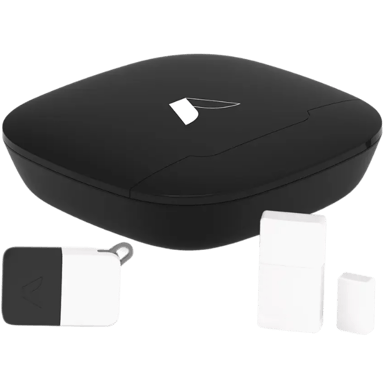

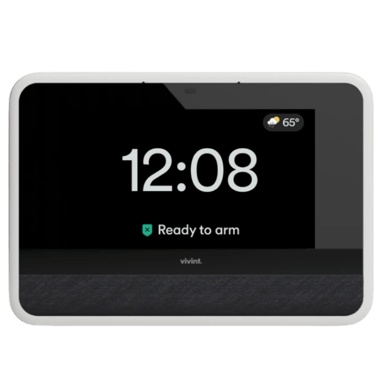
 Recaptor
 0
Cartling
0
Cartling